Home
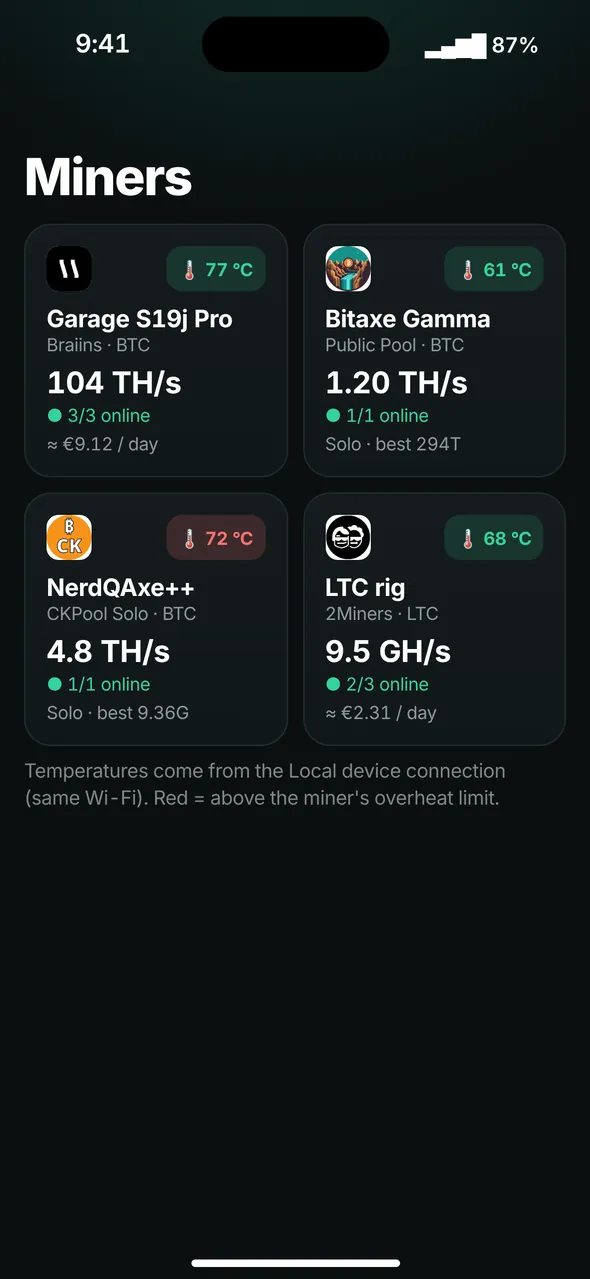
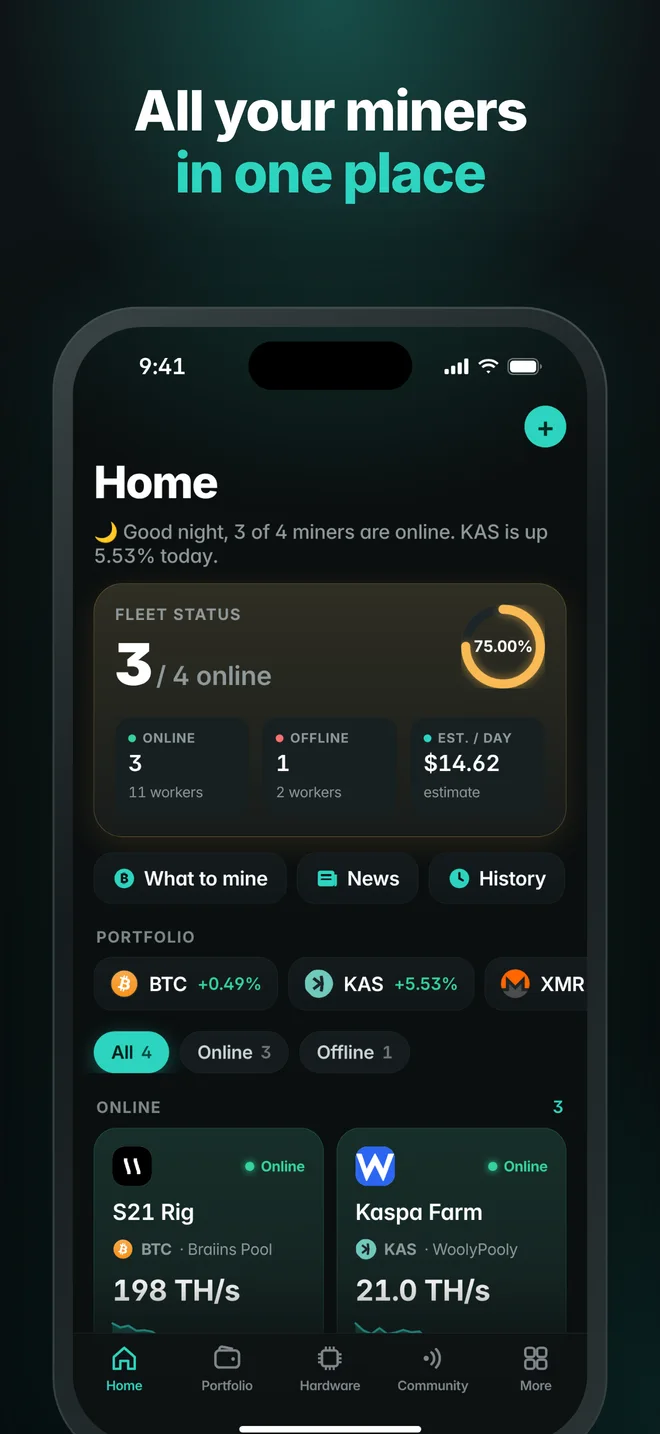
See every miner at a glance: hashrate, workers, estimated daily earnings and status, in one list.
What's new in 2.3 — tune supported miners, iPad dashboard, TV mode and an on-device assistant
MinersPal is the iPhone, iPad, Mac and Apple Watch app for your crypto mining farm. See hashrate, workers, earnings and hardware — and, on the same Wi‑Fi, chip temps, fans and power. Version 2.3 adds control for supported miners, with a clear use-at-your-own-risk warning.

iPhone · iPad · Mac · Apple Watch
Version 2.3
Device control for supported miners, a Tuning assistant, an iPad dashboard, TV mode, and an on-device assistant. The app is also available in German, Spanish, Portuguese (Brazil) and Chinese.
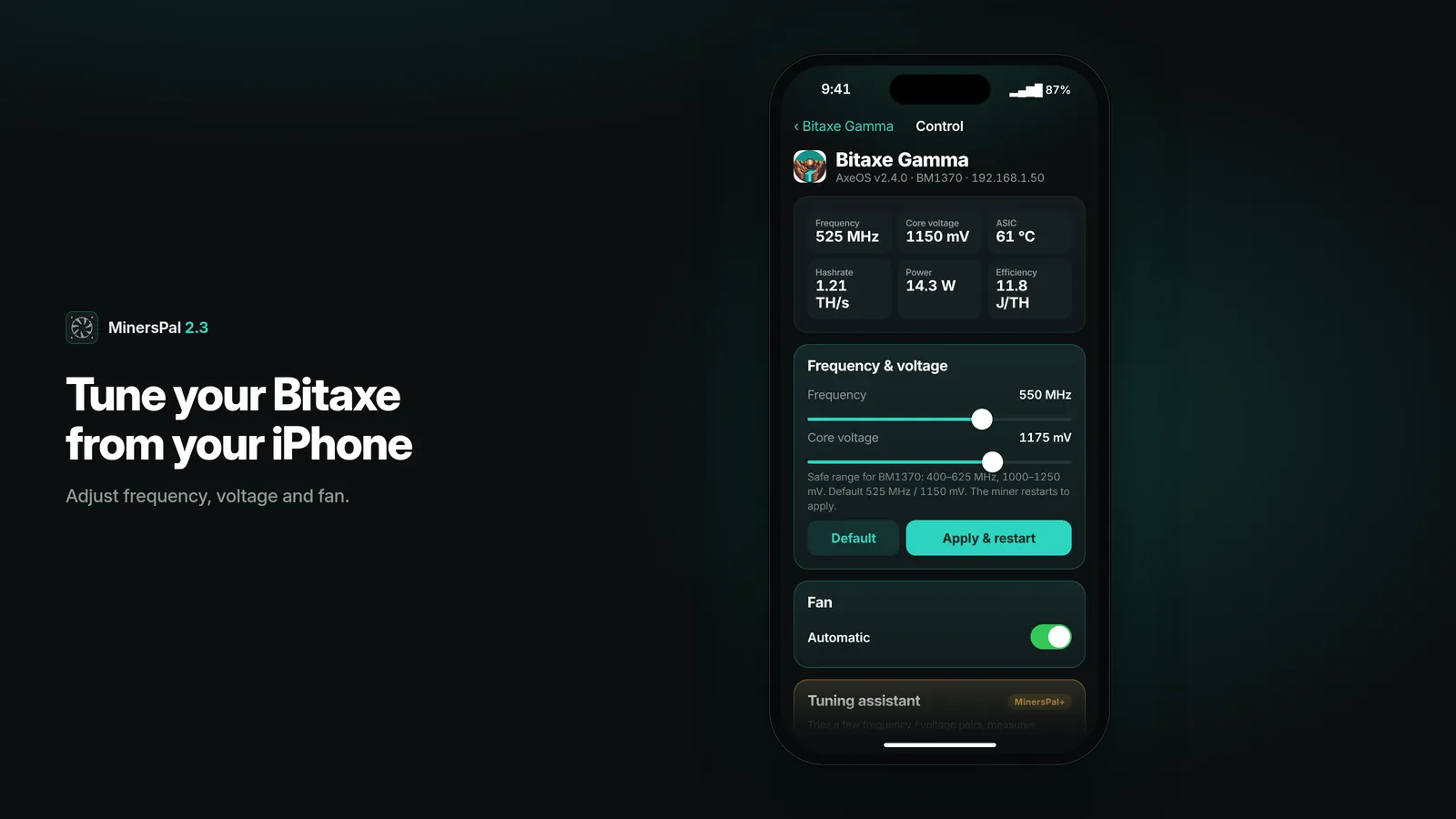
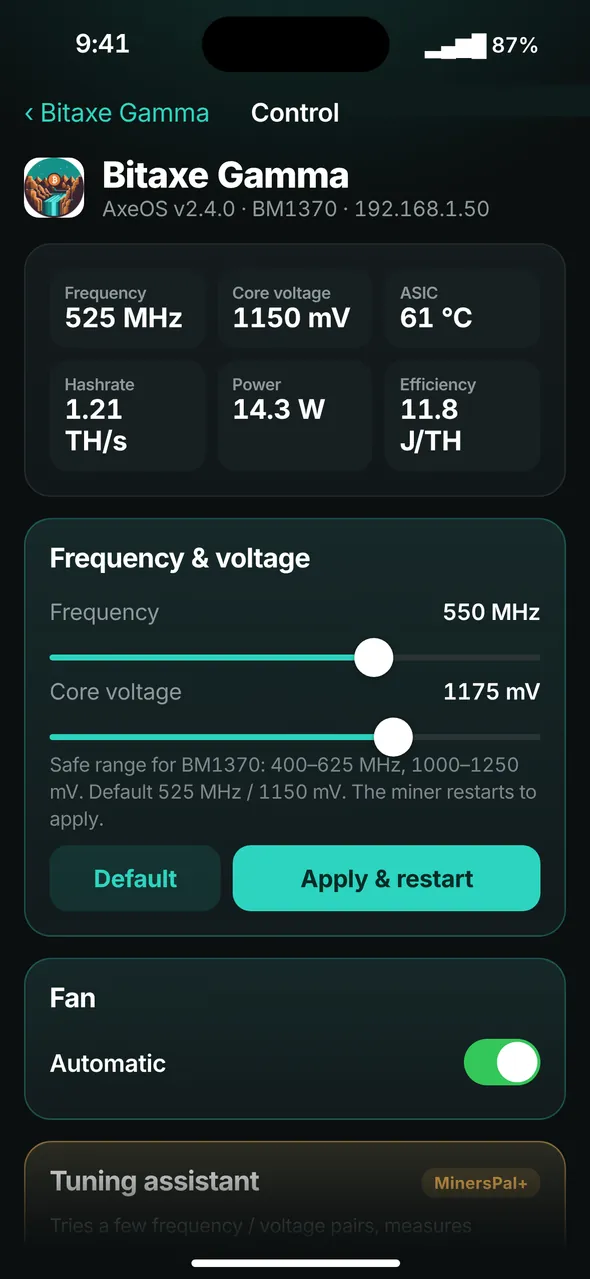
On Bitaxe and NerdAxe you can change frequency, voltage and fan, and restart the miner. On LuxOS you can change the fan and profile, and restart. Other miners stay read-only.
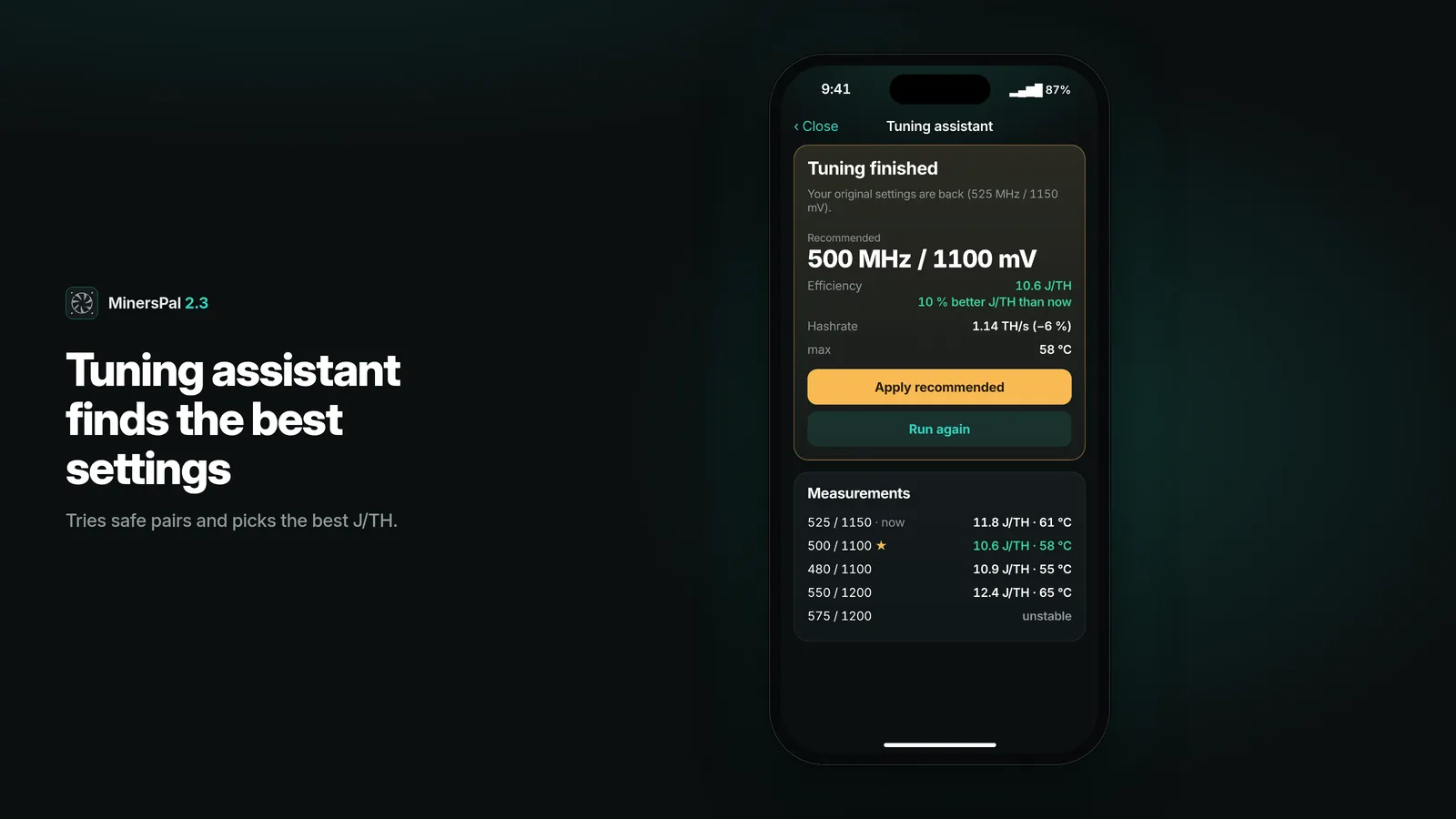
Tries a few frequency and voltage pairs and recommends the most efficient result (J/TH). You set a chip-temperature limit between 60 °C and 75 °C.
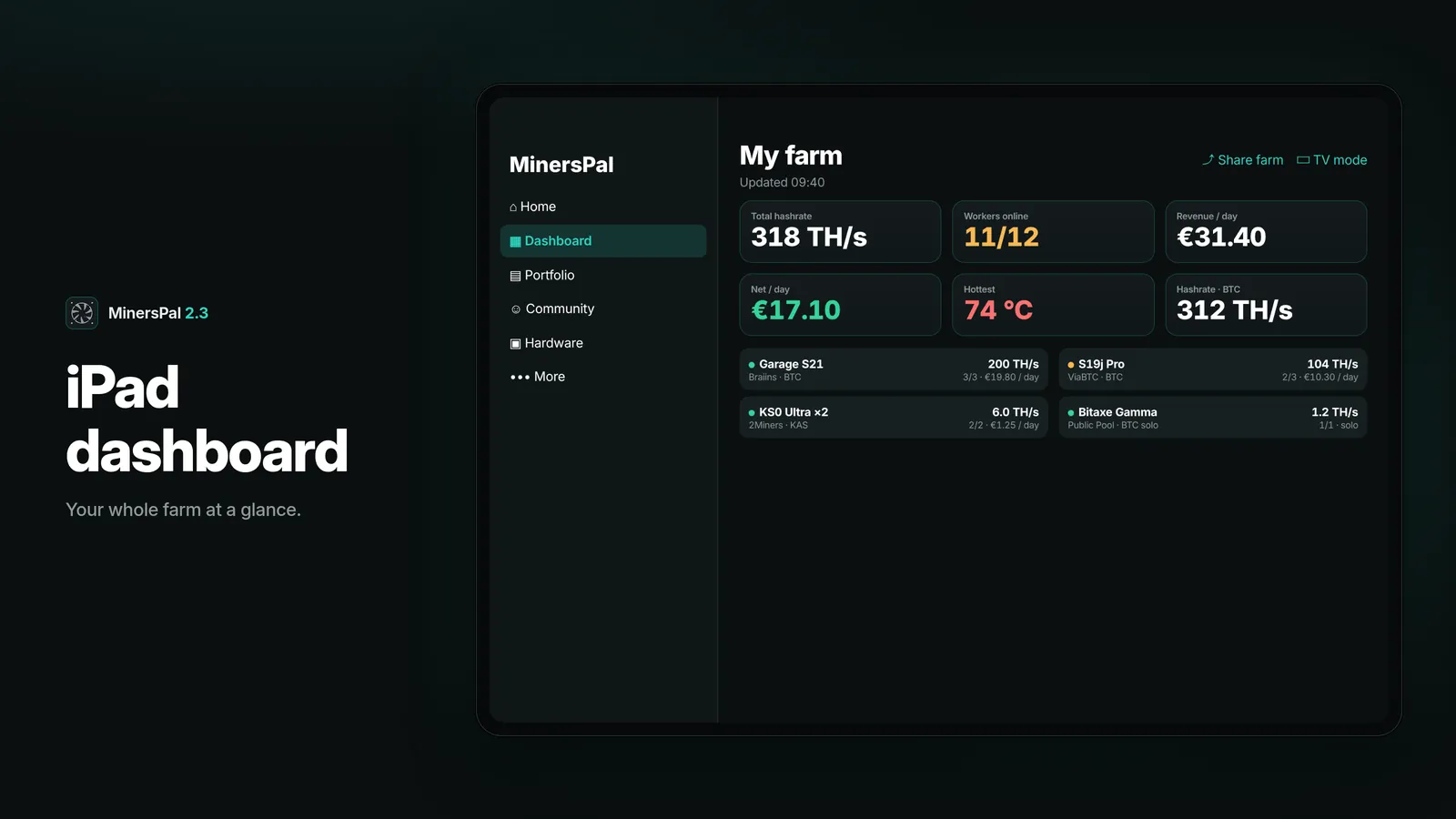
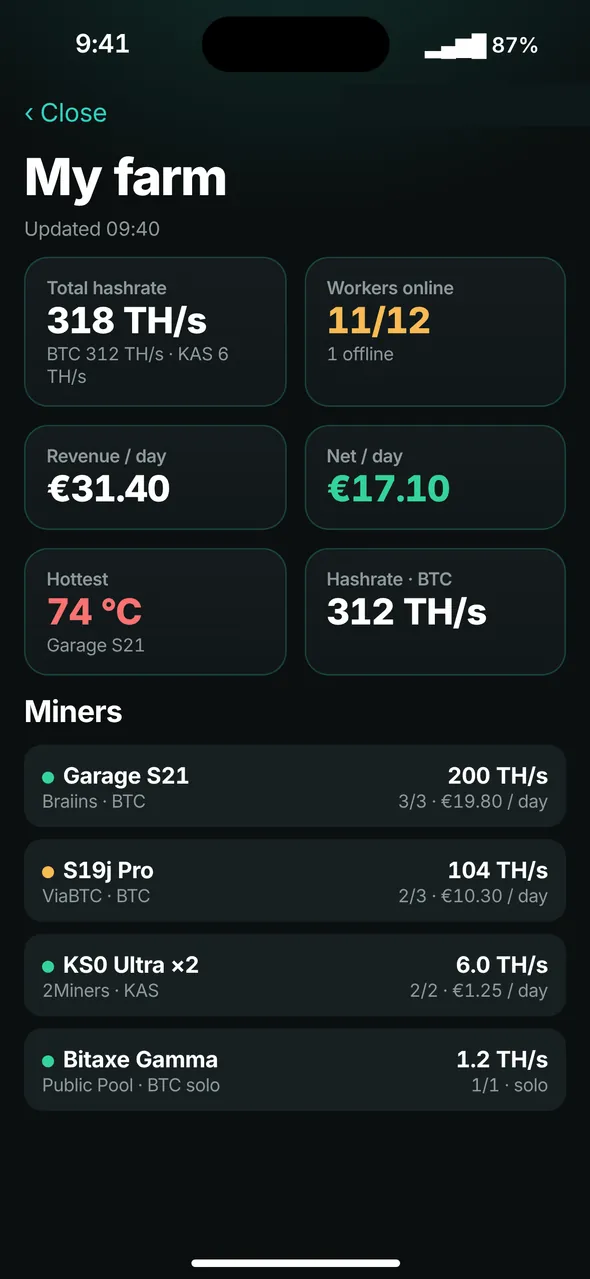
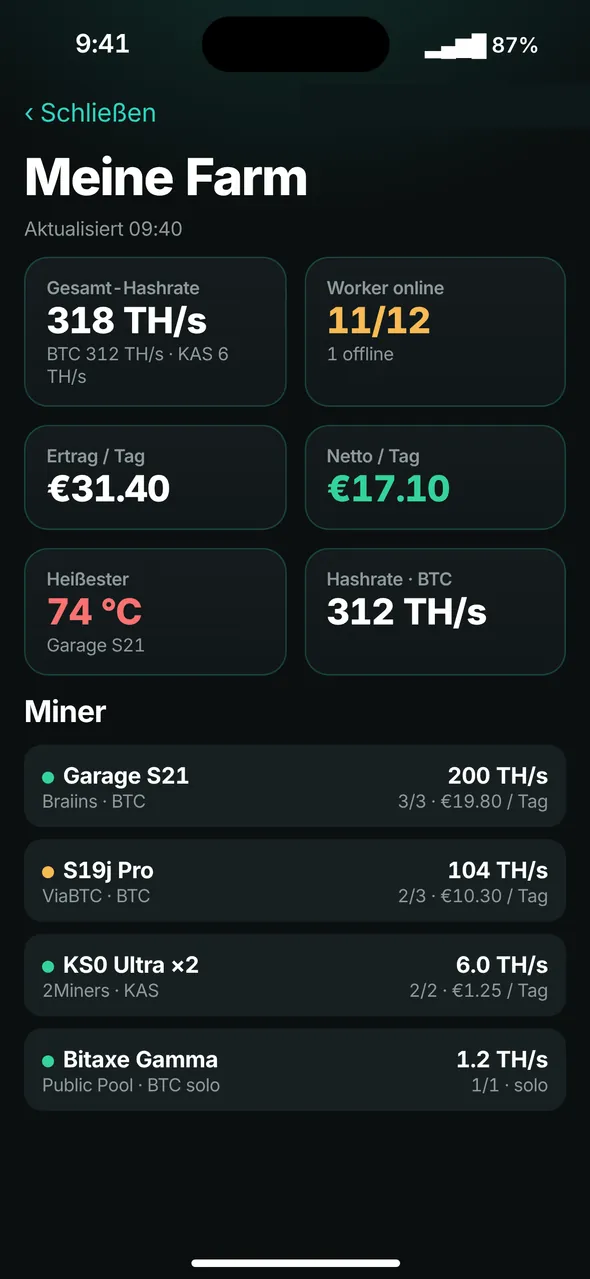
A dedicated dashboard so you can see the whole farm at a glance — hashrate, workers, revenue, net per day and the hottest miner.
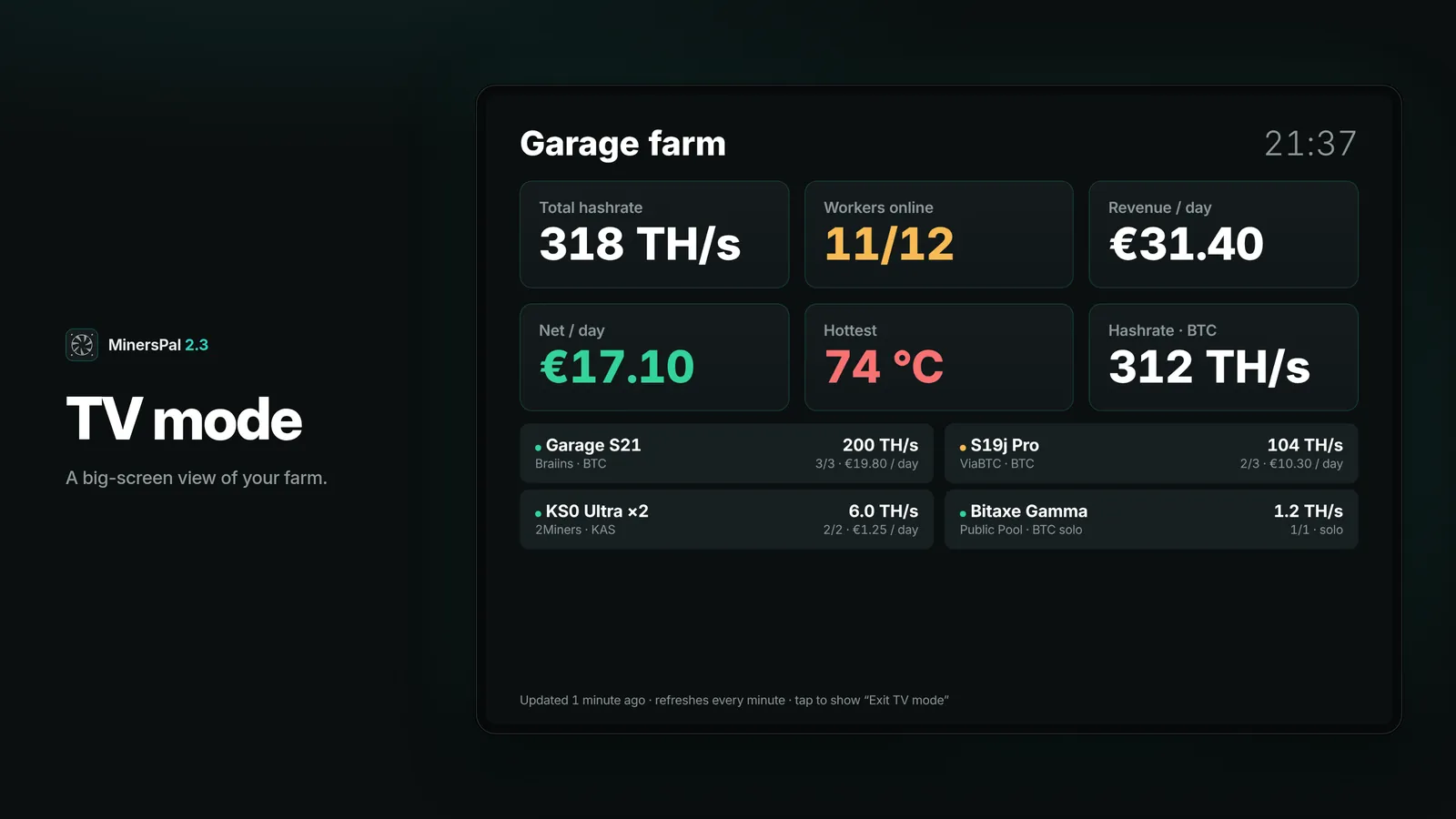
A full-screen view of your farm for a larger display. This is a mode in the iPhone and iPad app, not a separate Apple TV app.
Use at your own risk. Changing a miner's frequency, voltage or fan settings, including the Tuning assistant, is at your own risk. Overclocking or undervolting may damage the device, void the manufacturer's warranty, or cause overheating or a fire risk. The full wording is in our Terms.
Farm sharing is not available yet. The backend is not enabled; we will say so here when it is ready.
Features
Monitor your farm, understand earnings, and — on supported hardware — adjust settings from your phone. No made-up ratings or farm-wide promises: just what the app actually does.
See every miner at a glance: hashrate, workers, estimated daily earnings and status, in one list.
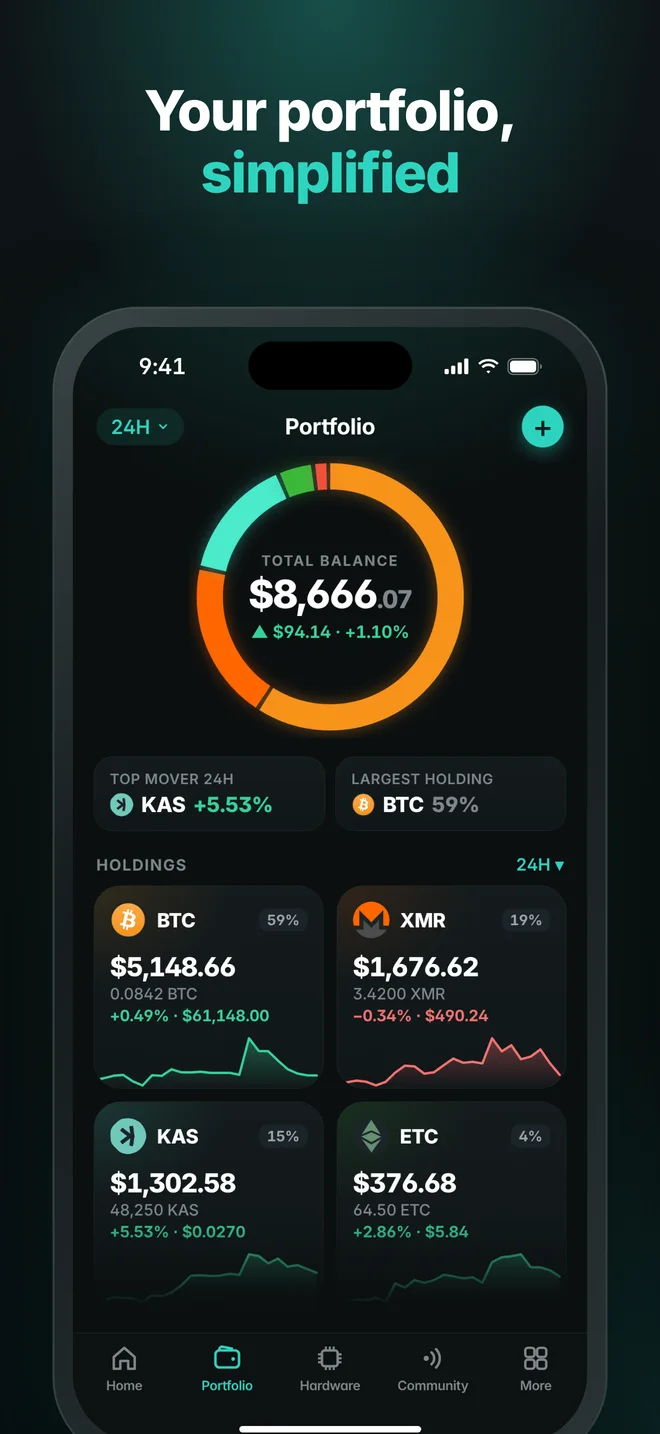
Balances, value and a history of what your wallets and pools have earned, in the coins you actually mine.
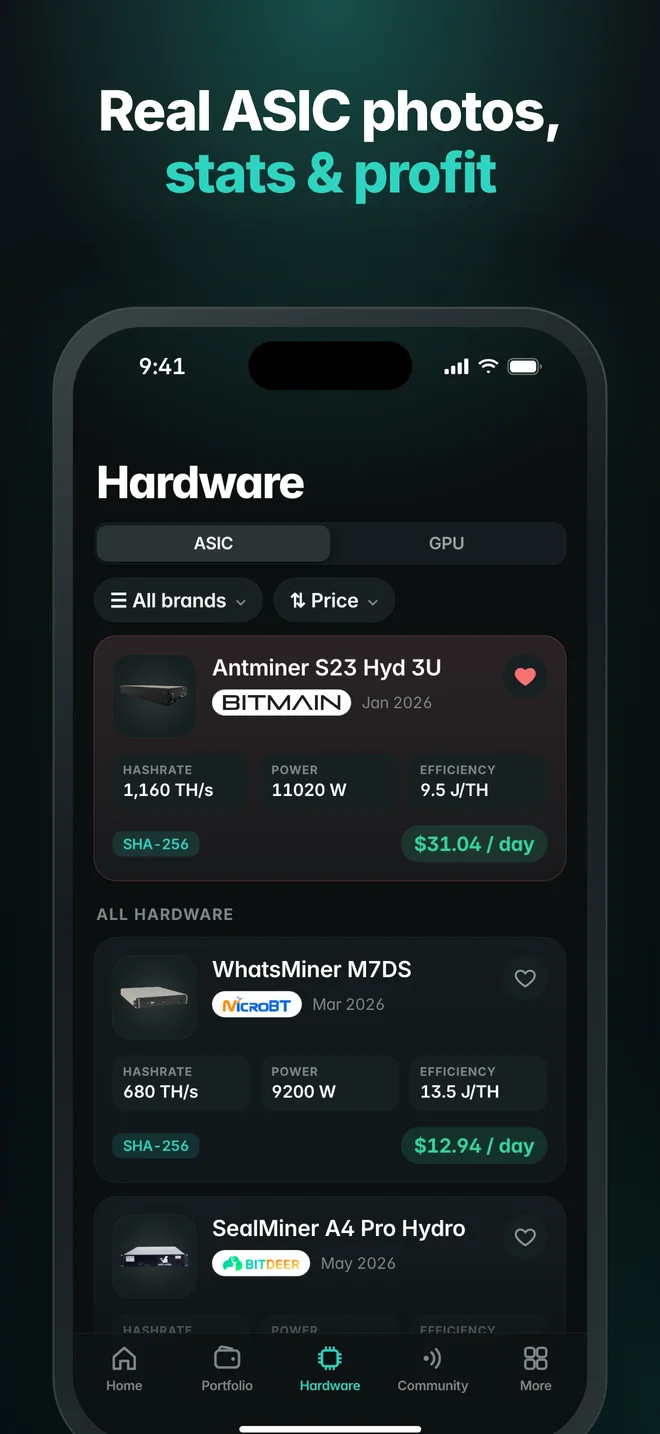
Browse miners with hashrate, power and efficiency, and compare them with the coins you care about.
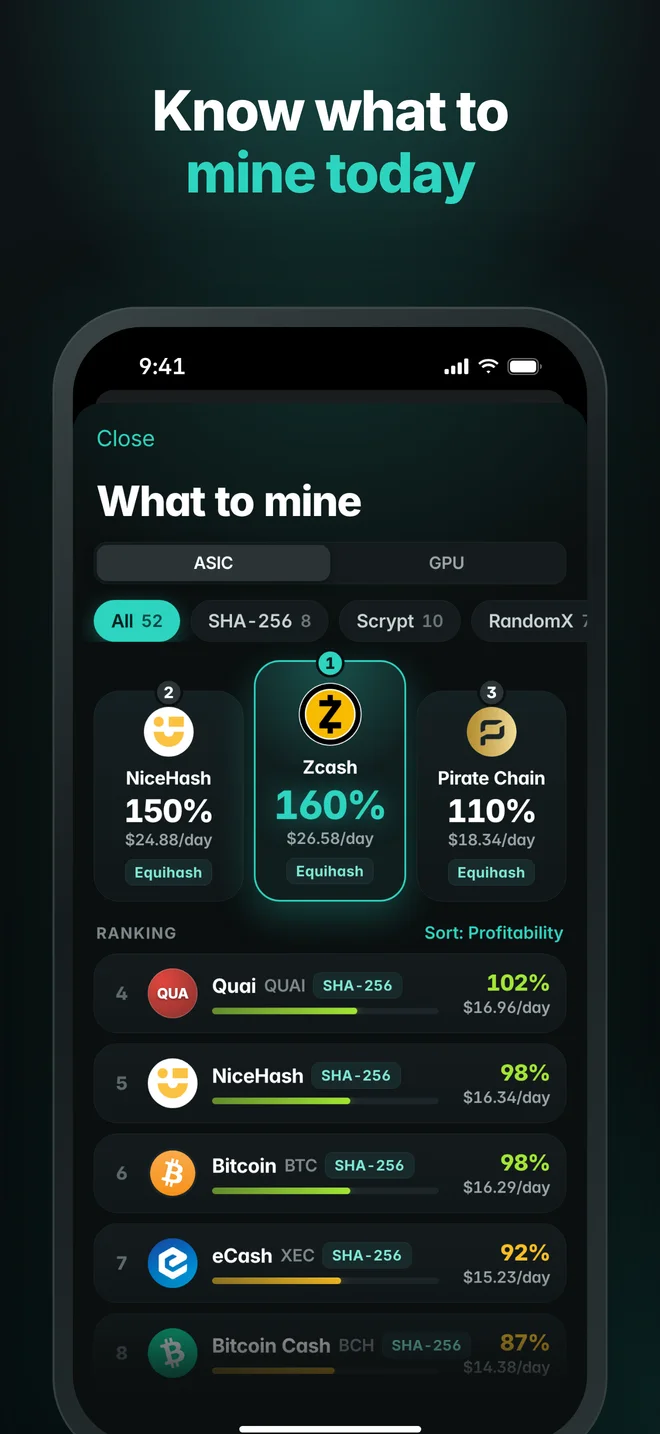
Estimate which coin looks best for your hardware and electricity price, based on current network data.
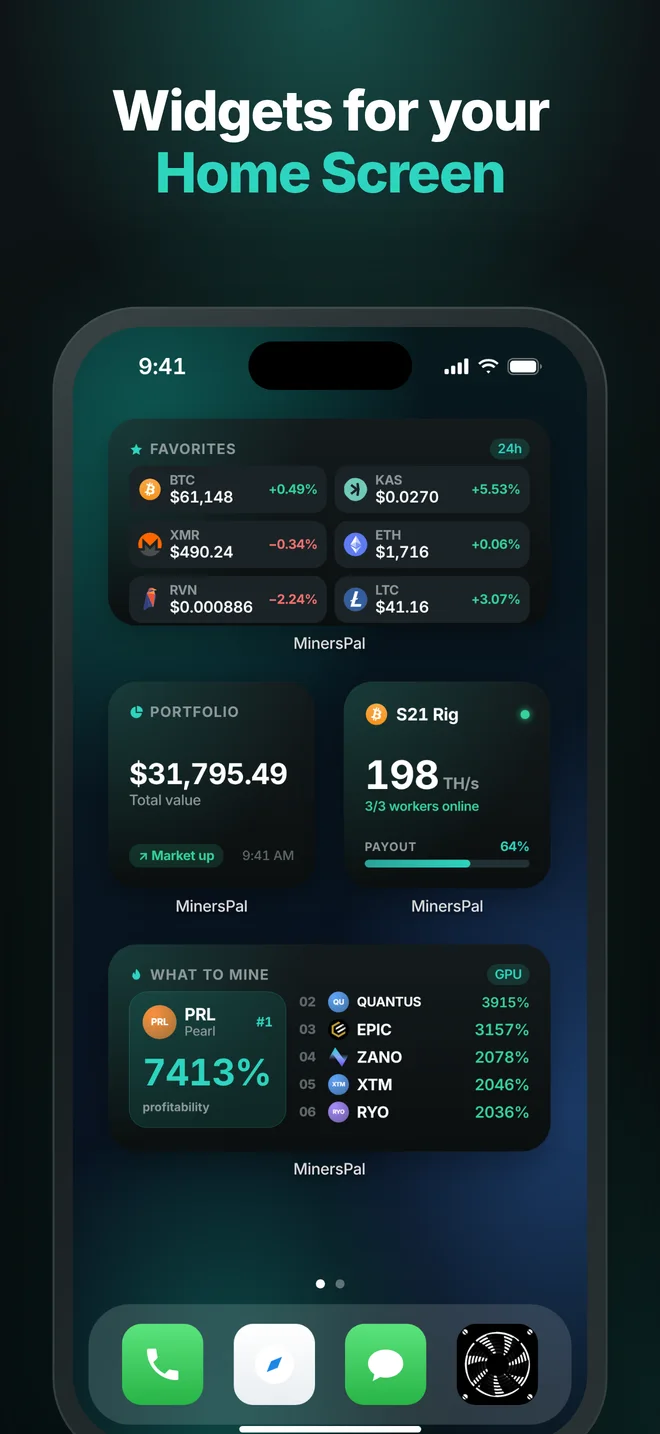
Home Screen and Lock Screen widgets for hashrate, workers and earnings, redesigned in 2.1.
A small community inside the app for miners who want to compare notes — optional, and you can stay local-only.
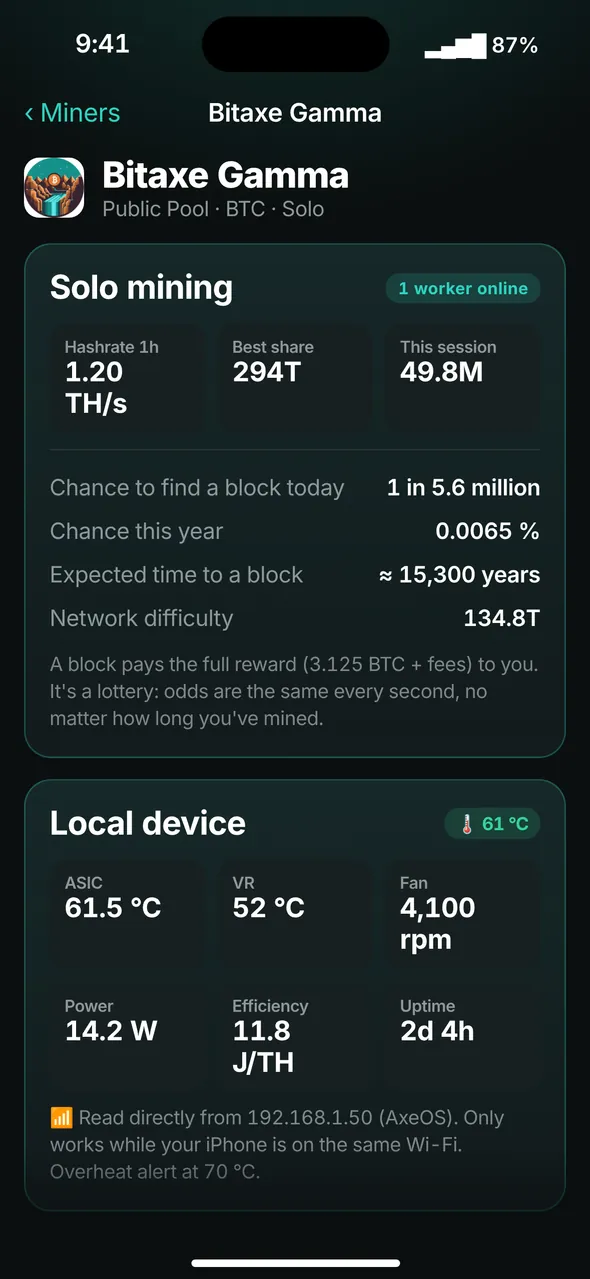
When you mine solo, see the odds of finding a block — so you can tell a long dry spell from bad luck on a short sample.
NEW IN 2.2A daily earnings summary, plus ROI and payback estimates from miner economics: power draw and your electricity cost.
NEW IN 2.2Set alert and alarm rules for offline workers, hot miners and earnings, and review payout history from your pools.
NEW IN 2.2Keep hashrate, workers online and earnings on the Lock Screen. The Live Activity updates when the app refreshes.
NEW IN 2.2On the same Wi‑Fi as a supported miner, MinersPal can show chip temperatures, fan speed and power from the device itself.
NEW IN 2.2A MinersPal app for Apple Watch, plus a watch-face complication, so you can glance at farm status from your wrist.
NEW IN 2.2Bitaxe and NerdAxe: frequency, voltage, fan and restart. LuxOS: fan, profile and restart. Other miners stay read-only. Tuning assistant included. Use at your own risk.
NEW IN 2.3Asks about your farm using data already on your phone: hashrate drops, offline workers, hot miners, profit and payback. It runs on the device.
NEW IN 2.3A farm dashboard built for iPad, and a full-screen TV mode for a bigger display in the same app.
NEW IN 2.3Alongside English, the app is available in German, Spanish, Portuguese (Brazil) and Chinese.
NEW IN 2.3Share a farm with someone you trust. This is not available yet — the backend is not enabled.
COMING SOONBackups you export from the app include all of your data — miners, settings, economics, alerts and the rest of what you have set up.
Control
Control talks to the miner on your network. What you can change depends on the firmware:
Use at your own risk. Changing a miner's frequency, voltage or fan settings, including the Tuning assistant in the MinersPal app, is at your own risk. Overclocking or undervolting may damage the device, void the manufacturer's warranty, or cause overheating or a fire risk. MinersPal and AB DIGITECH, Alen Brunec s.p., are not liable for any damage, data loss, lost earnings, or other loss that results from these changes. See the Terms.
Tuning assistant
The Tuning assistant tries a short list of frequency and voltage pairs, measures hashrate, efficiency and temperature, and can recommend the best J/TH it saw. Your original settings stay available if you want them back. It does not remove the risks of changing those settings.
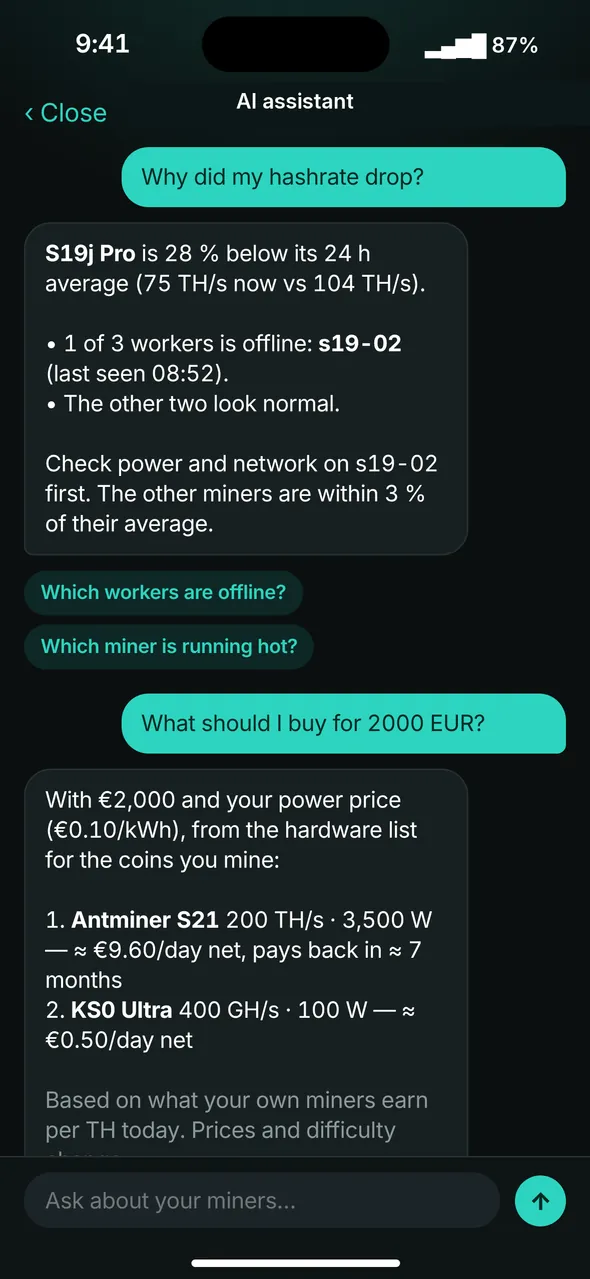
Assistant
The on-device assistant can explain hashrate drops, list offline workers, point out a hot miner, and talk through profit or payback from the data already on your phone. It is not a cloud chat bot, and it does not see your farm unless the data is on that device.
From 2.2
When your iPhone or iPad is on the same Wi‑Fi as a supported miner, MinersPal can read chip temperature, fan speed and power from the device itself, next to pool hashrate and earnings.
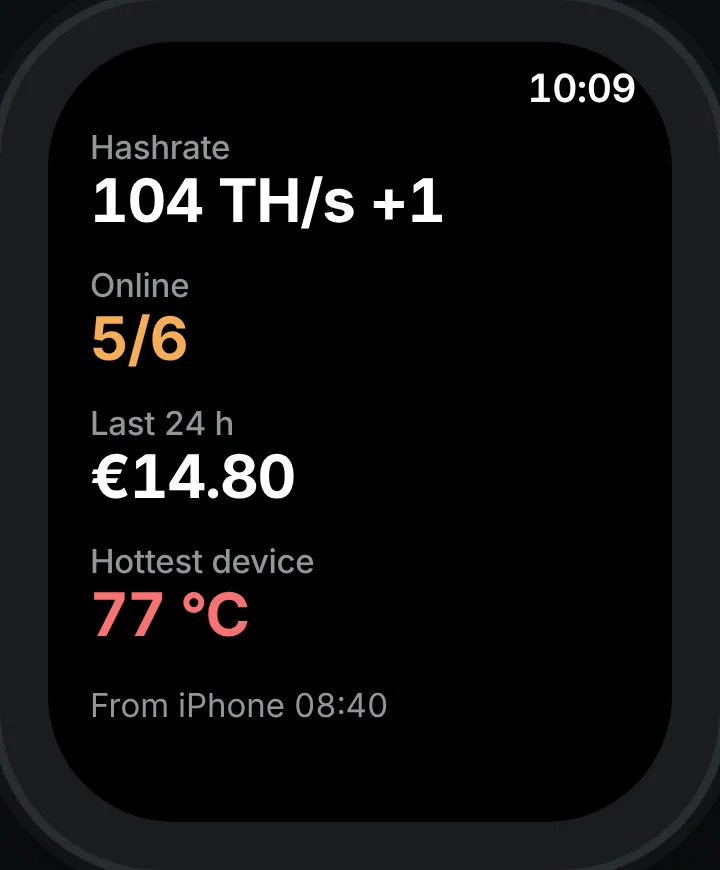
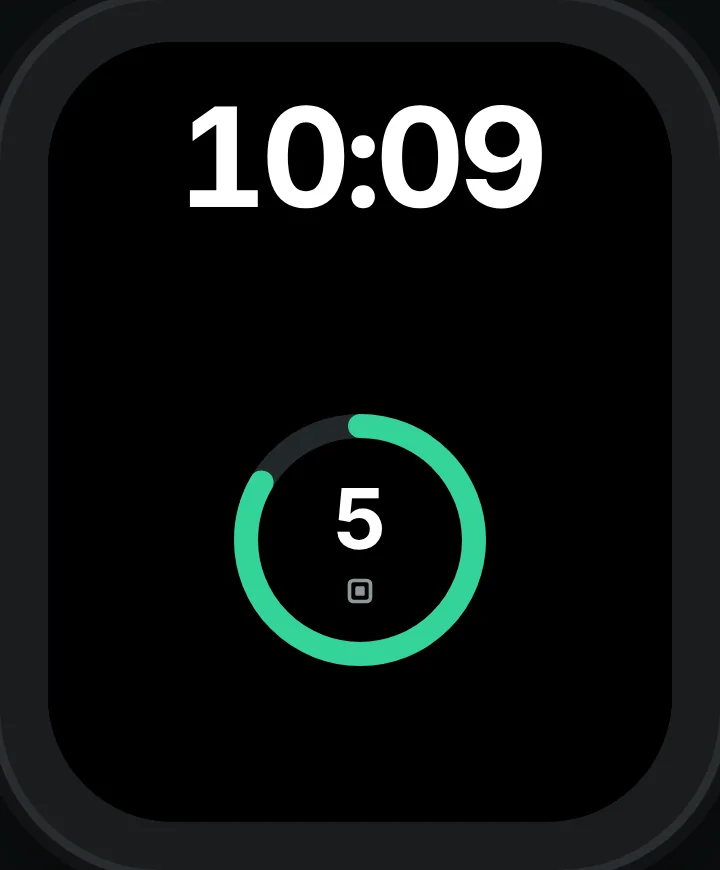
Apple Watch
The Apple Watch app shows hashrate, how many workers are online, the last 24 hours of earnings and the hottest device. A watch-face complication keeps a short status on the face you already use.
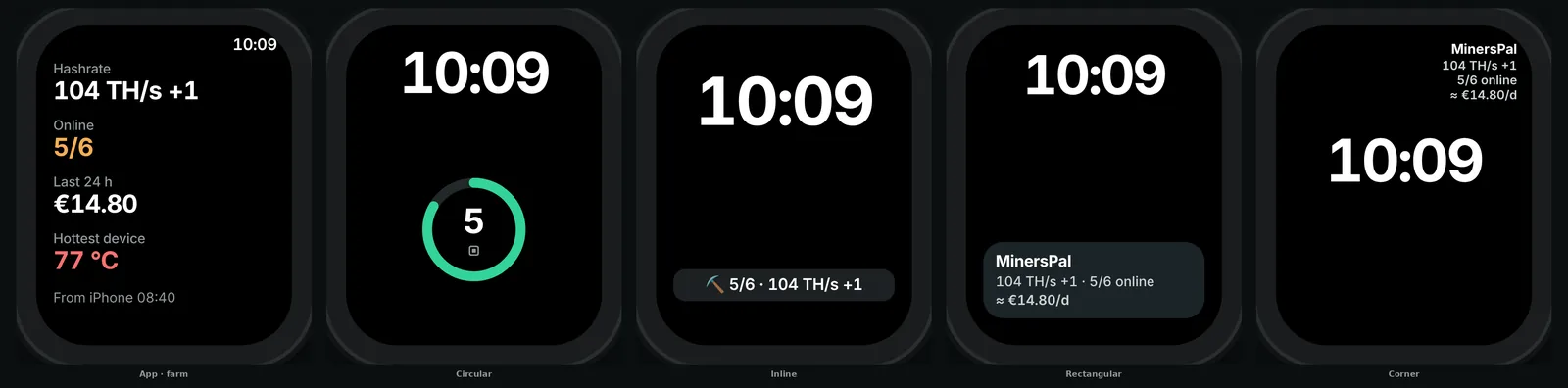
Screenshots
iPad, Mac & TV mode
The iPad dashboard puts hashrate, workers, revenue, net per day and every miner on one screen. TV mode uses the same numbers in a full-screen layout for a larger display. On a Mac, MinersPal runs as a designed-for-iPad app.
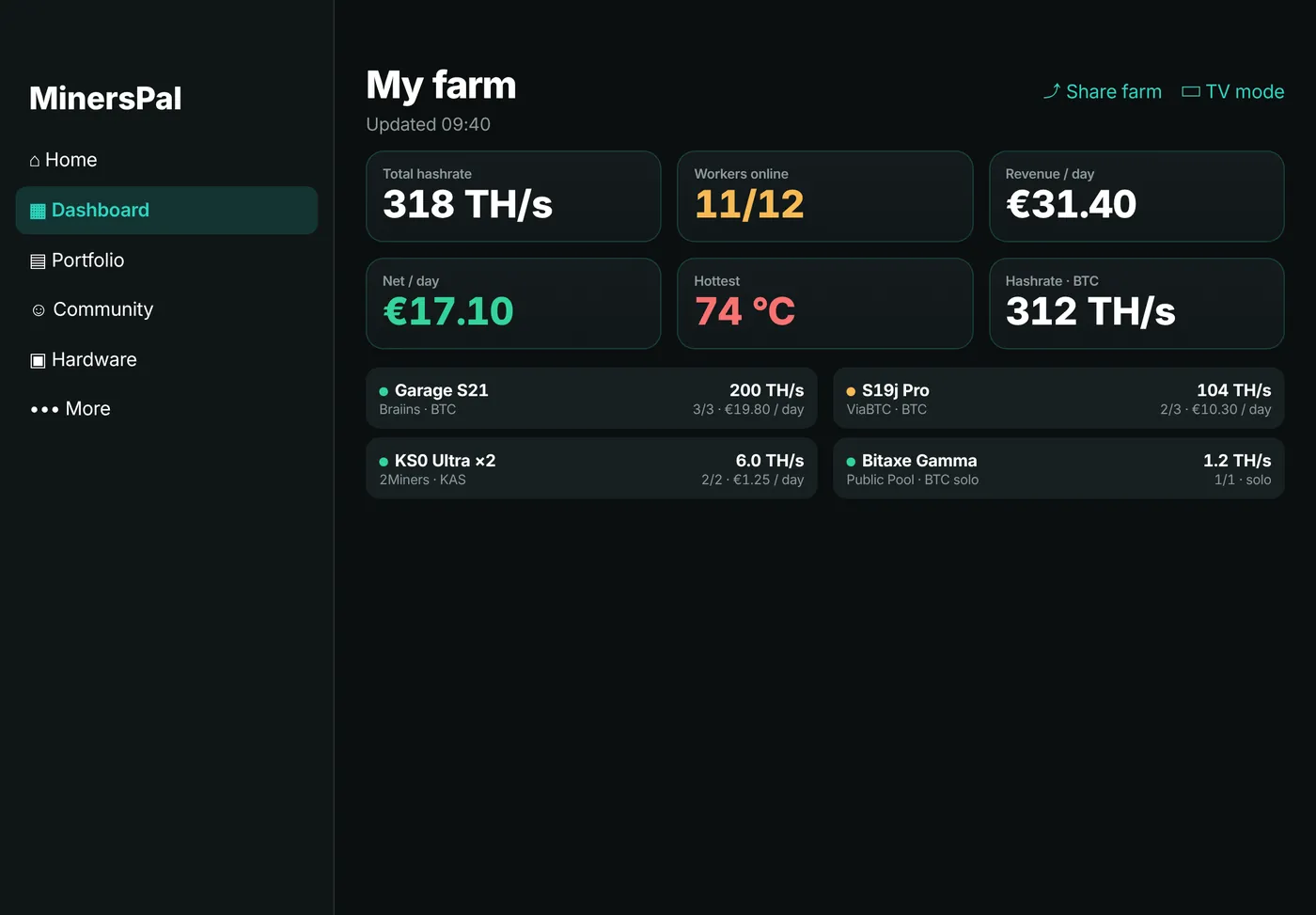
Your farm at a glance, with room for every miner.
A big-screen view in the iPhone and iPad app.
On the App Store for iPhone, iPad, Mac and Apple Watch.
Support
Questions, a problem in the app, or something we should fix — write to us.
The fastest way to reach us is info@minerspal.com.
Read the Privacy Policy and the Terms, including the device-control wording.
MinersPal+ is managed through your Apple ID. You can change or cancel it in iOS Settings → Apple ID → Subscriptions.